
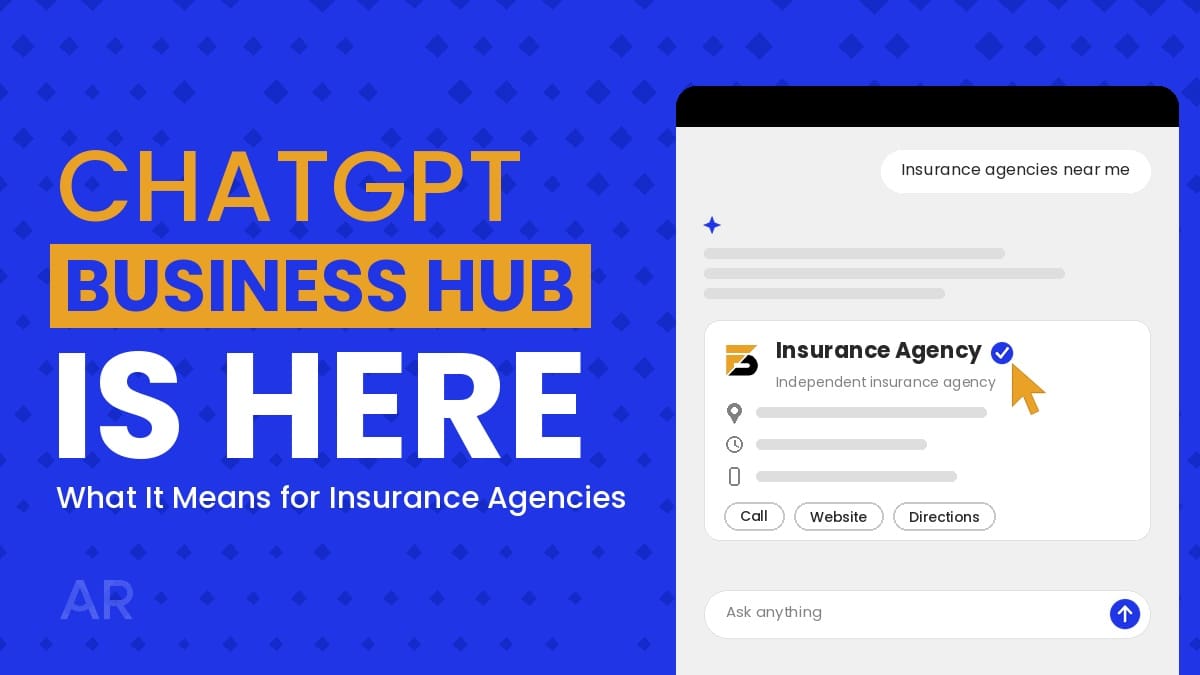
OpenAI just launched Business Hub, a new way for businesses to claim their listing in ChatGPT. Here’s what it means for insurance agencies, and how to claim and verify yours.
A trucking company owner finishes up for the night and types into ChatGPT: “Who’s an independent insurance agent near Columbus that knows commercial trucking coverage?”
ChatGPT answers. It names a few agencies, lists phone numbers, maybe describes what each one specializes in. The question is whether your agency is in that answer, and whether what it says about you is right.
On November 10, OpenAI launched Business Hub, a way for businesses to claim and manage their listing in ChatGPT. Think of it as Google Business Profile, but for ChatGPT.
We all know things move fast with AI, so I want to keep you up to date on something I think every insurance agency should take advantage of now: claiming and verifying your Business Hub listing.
As a general best practice, your online listings, and how accurate they are, can make or break the experience for someone trying to reach your agency or research you before asking for a quote. And as AI tools like ChatGPT become a bigger part of how people search, it’s important to get ahead of these changes instead of reacting to them.
I’m bringing this up for two reasons: it’s timely, and we just set up our own listing for Agency Revolution. It’s easy to do, and it’s free to claim and verify today.
What is ChatGPT Business Hub?
ChatGPT Business Hub is a new business listing that works a lot like Google Business Profile does for traditional search. It gives ChatGPT verified information about your business, straight from you: your website, office hours, address, contact information, photos of your team and office, and more.
ChatGPT already knows something about your agency, pulled from old directory listings, carrier locator pages, and review sites. Business Hub lets you give it the right version. Your claimed profile gives you a way to provide and manage accurate information, although ChatGPT may continue using other sources.
Here’s the catch: your agency may already have a ChatGPT listing you’ve never seen.
When you set up your listing, it also asks for a short business description of what you want ChatGPT to tell others about your business. This is your chance to highlight who you serve, what coverages you offer, and what sets your agency apart.
How Business Hub Works for Insurance Agencies
AI search is being used by more and more people. As that shift continues, more people will ask tools like ChatGPT, instead of Google, questions like “What insurance agencies in Columbus, Ohio, are known for trucking insurance?”
Having your Business Hub listing set up gives you a better chance to show up in those answers, with information you’ve verified is accurate.
We all know AI can get things wrong. When you give ChatGPT your business information directly, it has accurate details to share instead of guessing or pulling an old phone number from somewhere else. And when someone just wants your phone number so they can call you without visiting your website, they get the right one, not the number you used five years ago.
For insurance agencies, Business Hub works like Google Business Profile: it’s a local discovery and lead generation tool. Its job is to make sure your information is out there and that AI has what you want people to know about your business, so the right people can find you.
How to Claim and Verify Your Agency’s ChatGPT Business Hub Listing
Here are the setup steps, along with the parts worth paying close attention to.
- Claim your listing. Go to Business Hub, log in, and search for your business name. If a listing already exists, you’ll see the option to claim it. Right now, Eligible businesses can claim an existing listing or add a business where ChatGPT is available and the required verification is supported. Use a work account, not a personal one, so your agency keeps access if someone leaves. You can add other team members later.
- Verify your listing. Verify with your business phone or email. If neither works, you can verify by adding a DNS record to your website’s domain. Your website provider can help with that step.
- Verify your identity. Next, you’ll confirm you have the authority to manage the listing on behalf of your agency. Have a government-issued ID and your basic business registration details ready.
- Wait for approval. The steps themselves are quick, but review times may vary. Once you’re approved, you can edit your business information.
Once you’re in, here’s what I recommend updating:
- Add or confirm your email address.
- Confirm your phone number is accurate.
- Make sure your office address is correct.
- Set your business category, most likely Insurance Agency.
- Add photos of your office and team to make it feel like your agency.
- Add your office hours and set your time zone.
- Add a business description.
The description is marked optional, but I strongly recommend adding one. ChatGPT says it will use this information to tell others about your business. Two tips from our own setup:
- Keep it short. When we set up our listing, the description was capped at about 300 characters with no counter, so write it out first and check the length before pasting it in.
- Skip your website URL. Your website has its own field, so use the description to talk about what you do.
To give you a head start, I put together an example you can use to build yours:
[Agency name] is an independent insurance agency in [City], [State], helping [target audience] with [types of insurance]. We work with multiple carriers and serve clients across [region or states served].
Here’s what that could look like for your agency:
Buckeye Shield Insurance is an independent insurance agency in Columbus, Ohio, helping families and small businesses with home, auto, life, and commercial coverage, including trucking insurance. We work with multiple carriers and serve clients across Ohio and Indiana.
One important note: make sure everything here matches your Google Business Profile exactly. This is a good chance to do some housekeeping and confirm your information is accurate there and on any other listings you have.
What to Do After You’ve Verified Your Listing
Once your listing is set up, ChatGPT also gives you insights into how your agency shows up on its platform. Right now, you can see the past 28 days of:
- Mentions: how often your agency showed up in ChatGPT’s answers.
- Website clicks: how many people clicked through to your site.
- Discovery topics: the themes of the conversations where your agency came up.
Discovery topics are where it gets interesting. If people are finding you through questions about umbrella policies or commercial auto, that’s your content roadmap. Build out those coverage pages and answer the questions your clients ask most.
Claiming your listing isn’t a shortcut to the top of ChatGPT’s answers. It makes sure that when ChatGPT does mention you, the details are right.
Your website, reviews, and other listings still do the heavy lifting.
A few other things to know:
- Once your profile is published, it can’t be deleted, so double-check your information before you submit.
- Business Hub is still in beta, so expect features and options to change.
Frequently Asked Questions
Is ChatGPT Business Hub free for insurance agencies?
Yes. There is currently no separate fee identified for claiming a business listing.
What if I can’t find my agency in Business Hub?
Right now, local U.S. businesses can only claim listings that already exist. If yours isn’t there, check back as OpenAI expands availability.
Can clients buy a policy through ChatGPT?
No. Business Hub helps people find and contact your agency, but quoting, underwriting, and binding still happen with you, by phone or through your website.
Will claiming my listing help my agency show up more in ChatGPT?
Not on its own. It makes sure ChatGPT has accurate information when it mentions you. Your website content, reviews, and other listings still affect whether you’re recommended.
Should captive agents claim a listing?
Check your carrier’s marketing and digital guidelines first. Some carriers have rules about how agents can represent their business online.
Who at my agency should claim the listing?
The owner or someone with authority to represent the agency. Use a work account, not a personal one, so the agency keeps access if someone leaves. You can add team members later.
Can I delete my listing later?
No. Once a profile is published, it can’t be deleted, so review everything before you submit.
How is this different from my Google Business Profile?
It does the same job for a different place. Google Business Profile shapes how you appear in Google Search and Maps. Business Hub shapes how ChatGPT describes you. Keep the information identical on both.
Make AEO a Bigger Part of Your Digital Marketing Strategy
Business Hub showed up with almost no warning, and it won’t be the last change like this. The agencies that stay visible are the ones that keep their information accurate everywhere: their website, their Google Business Profile, their reviews, and now ChatGPT.
AI tools like ChatGPT look at everything about your agency online. Keeping your website, business listings, and online content accurate and consistent is an important part of maintaining a strong digital presence as AI-driven discovery evolves.
If you haven’t already, here’s where I’d start:
- Optimizing Your Google Business Profile for AI Search
- AEO vs. SEO: What Insurance Agencies Need to Know
- Online Reputation & Visibility Guide
AI is changing how people find and choose an insurance agency, and the agencies that move early will have the advantage.
Setting up your ChatGPT Business Hub listing is relatively quick, and there is currently no separate fee identified for claiming a listing.
Want to learn more?
If you’re ready to take the next step, our complete insurance marketing platform offers the tools and features your agency needs to stand out and succeed.
From marketing automation that keeps you connected with clients and boosts retention, to insurance websites designed to drive growth, and a suite of marketing tools to meet your needs, Agency Revolution is everything you need after your AMS.
Learn All About Our Complete Insurance Agency Marketing Platform
Frequently asked questions.
Is ChatGPT Business Hub free for insurance agencies?
Yes, for now. Claiming and verifying your listing is free. OpenAI hasn’t said whether that will change.
What if I can’t find my agency in Business Hub?
Eligible businesses can claim an existing listing or add a business where ChatGPT is available and the required verification is supported. Availability may vary by business type and location.
Can clients buy a policy through ChatGPT?
No. Business Hub helps people find and contact your agency, but quoting, underwriting and binding still happen with you, by phone or through your website.
Will claiming my listing help my agency show up more in ChatGPT?
Not on its own. It makes sure ChatGPT has accurate information when it mentions you. Your website content, reviews and other listings still affect whether you’re recommended.
Should captive agents claim a listing?
Check your carrier’s marketing and digital guidelines first. Some carriers have rules about how agents can represent their business online.
Who at my agency should claim the listing?
The owner or someone with authority to represent the agency. Use a work account, not a personal one, so the agency keeps access if someone leaves. You can add team members later.
Can I delete my listing later?
No. Once a profile is published, it can’t be deleted, so review everything before you submit.
How is this different from my Google Business Profile?
It does the same job for a different place. Google Business Profile shapes how you appear in Google Search and Maps. Business Hub shapes how ChatGPT describes you. Keep the information identical on both.